
Short answer
A QCS6490-class hub is an edge AI computer built around Qualcomm's QCS6490 system-on-chip: an eight-core Kryo 670 CPU, an Adreno 643 GPU, a Spectra 570L image signal processor and a Hexagon 770 AI engine rated at 12 dense TOPS. For sensing, it can capture several cameras and other sensors, extract features and run models at the machine; the SoC itself is specified at a typical 6 to 9 W, and a complete hub draws more depending on its peripherals.
Key takeaways
- The Qualcomm QCS6490 combines an eight-core CPU, a GPU, a triple image signal processor and a Hexagon AI engine rated at 12 dense TOPS on one 6 nm chip.
- The Thundercomm RUBIK Pi 3 board puts this processor on a 100 x 75 mm board with 8 GB LPDDR4x, two 4-lane MIPI CSI camera connectors and an M.2 Key M slot with two PCIe 3.0 lanes.
- A TOPS figure is a peak rating for the accelerator; real throughput depends on the model, its quantisation and memory traffic.
- NPU execution normally requires quantised models, so a model moved from CPU to NPU has to be validated again.
- For multi-sensor hubs, interfaces, storage bandwidth and thermal design limit a system as often as inference performance does.
Edge AI hardware for sensing is usually discussed in TOPS, the number of trillion operations per second an accelerator can perform. For a sensing system that number is one line in a much longer list. A hub at the machine has to accept several camera streams, a thermal imager, audio and vibration data, time-stamp and store all of it, extract features and only then run a model. This post reads the datasheets of one processor class, Qualcomm's QCS6490, and the board we build on, and translates them into what matters for sensing.
What is a QCS6490-class hub?
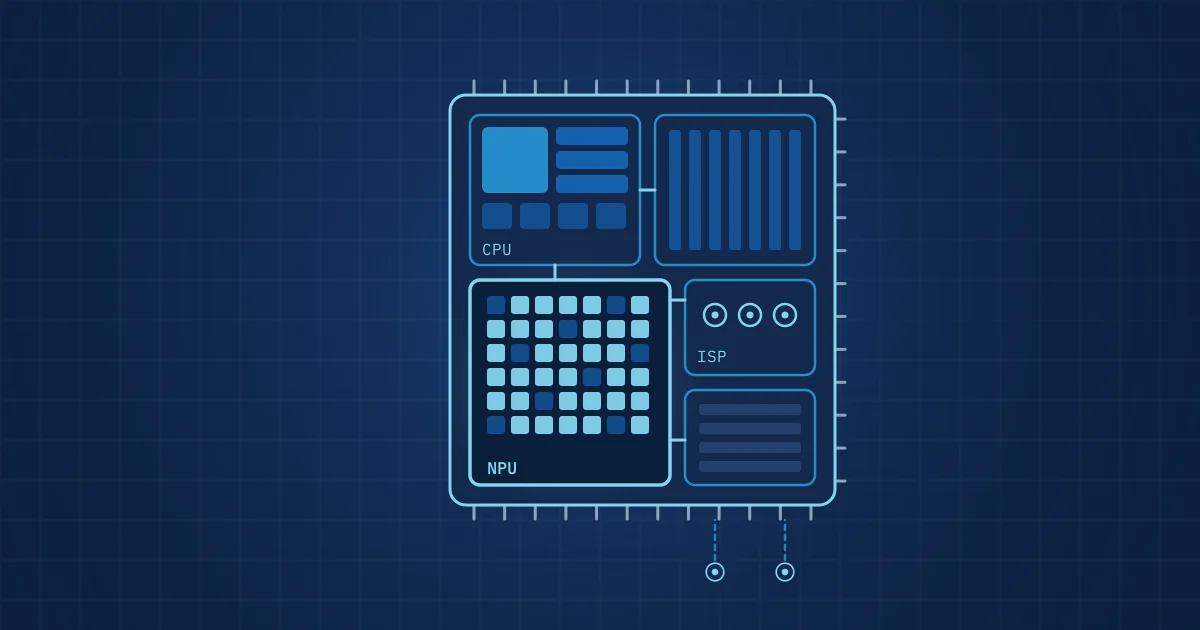
A QCS6490-class hub is an embedded computer built around the Qualcomm Dragonwing QCS6490, a system-on-chip designed for industrial and enterprise IoT. A system-on-chip (SoC) integrates the CPU, GPU, image processing, AI acceleration and memory controllers on one die, which is what makes this class compact and efficient enough to sit in a machine cabinet.
"Class" matters here. The QCS6490 sits between microcontrollers, which run single-sensor feature extraction on milliwatts, and industrial PCs with discrete GPUs, which run large vision models on tens or hundreds of watts. We described that spectrum in what is edge AI in manufacturing. The middle class is where most multi-sensor hubs at the machine end up.
The processor: what the datasheet says
All figures below come from the Qualcomm QCS6490/QCM6490 product brief.
| Block | Datasheet specification |
|---|---|
| Process | 6 nm |
| CPU | Kryo 670, eight cores: 1 at 2.7 GHz, 3 at 2.4 GHz, 4 low-power cores at 1.9 GHz |
| GPU | Adreno 643 at 812 MHz |
| AI engine | Hexagon 770, 12 dense TOPS, with Hexagon Tensor Accelerator and vector extensions |
| Image signal processor | Spectra 570L triple ISP, up to five concurrent cameras |
| Video | Decode up to 1x 4K60; encode up to 1x 4K30 or 4x 1080p30 (H.264, H.265) |
| Memory | LPDDR5 or LPDDR4x, up to 16 GB |
| Storage interfaces | UFS 3.1/2.0, eMMC 5.1, SD 3.0 |
| Operating systems | Android, Qualcomm Linux, Ubuntu, Windows 11 IoT Enterprise |
| Junction temperature | -30 to 105 °C |
| Typical power | 6 to 9 W |
| Longevity | Qualcomm Product Longevity Program, July 2036 |
Two lines deserve a comment for industrial buyers. The junction temperature range is a die temperature, not an ambient rating; what a finished device tolerates depends on the board and enclosure. And the longevity commitment matters more than it looks, because an edge hub designed into a production line may need to be replaced like-for-like for a decade.
The board: RUBIK Pi 3
Our Edge AI Hub is built on the Thundercomm RUBIK Pi 3. Its product page lists:
| Feature | RUBIK Pi 3 specification |
|---|---|
| Memory | 8 GB LPDDR4x |
| On-board storage | 128 GB UFS 2.2 |
| Expansion | M.2 Key M connector, PCIe 3.0 two-lane |
| Cameras | 2 camera connectors, 4-lane MIPI CSI D-PHY |
| Display | HDMI 1.4 up to 4K30, DisplayPort over USB Type-C up to 4K60 |
| USB | 1x USB Type-C (USB 3.1 Gen 1), 2x USB Type-A (USB 3.0), 1x USB Type-A (USB 2.0) |
| Network | Gigabit Ethernet, Wi-Fi 802.11a/b/g/n/ac, Bluetooth 5.2 |
| GPIO | 40-pin header with GPIO, I2C, UART, SPI, I2S and PWM |
| Power | USB Power Delivery over Type-C, 12 V 3 A |
| Size | 100 x 75 x 25 mm |
| Operating temperature | -20 to 75 °C |
Thundercomm's FAQ on the same page gives roughly 8 W at full load across CPU, GPU and DSP, and as low as 4 W with only the CPU loaded. The board ships with Qualcomm Linux; Debian 13 and Android 13 are listed, and Ubuntu is marked as planned in the specification table; our hubs run Ubuntu 24.04.
What these numbers mean for sensing workloads
Read from the perspective of a sensing hub rather than a phone, the blocks map onto tasks like this.
The CPU handles acquisition, time-stamping, recording and most feature extraction. Eight cores matter because sensing workloads are naturally parallel: one stream per core is a sensible starting point. Classic signal processing such as filtering, FFTs, envelope analysis and band energies runs well on the CPU, and so do many compact models, such as gradient-boosted trees or small neural networks on engineered features. The kind of features we mean are described in feature engineering for industrial signals.
The ISP processes camera data before it reaches memory. For machine-vision cameras, not every ISP stage is wanted, because measurement needs predictable images rather than pleasing ones. Still, handling several camera streams in dedicated hardware frees the CPU for other work.
The video encoder makes continuous recording of camera streams feasible. Storing raw frames from several cameras quickly fills any drive; H.265 encoding in hardware reduces that by a large factor at the cost of some image detail.
The GPU is useful for image preprocessing and for floating-point neural networks that are not yet quantised.
The NPU, here the Hexagon AI engine, is where convolutional networks and other larger models run most efficiently. It is the reason this class can run image models at useful rates without a fan-cooled GPU.
Storage bandwidth is easy to overlook. A worked example, assuming each 18-bit sample is stored in a 4-byte (32-bit) container: one vibration channel at 200 kSPS writes 800 kB per second, or about 69.1 GB per day. A 512 GB NVMe drive holds about 640,000 seconds of that, roughly 178 hours or 7.4 days, before anything else is recorded. Add cameras and the write rate, not the capacity, often becomes the limit, which is why an M.2 slot with PCIe lanes matters more than on-board UFS for recording.
Reading a TOPS figure correctly
TOPS is a peak rating: the number of operations per second the accelerator could perform if every unit were busy every cycle. Qualcomm specifies the Hexagon 770 at 12 "dense" TOPS. Real throughput for a given model is lower and depends on:
- operator support: layers the NPU cannot execute fall back to the CPU, and the transfers in between cost time;
- data type: NPUs are fastest on low-precision integers;
- memory traffic: large activations and weights that do not fit in on-chip memory are limited by memory bandwidth;
- batch size and input shape: sensing models often process one segment at a time, which uses an accelerator less efficiently than large batches.
The only reliable comparison is your model, quantised the way it will run, measured on the target hardware.
NPU inference in practice: quantisation
Accelerators like the Hexagon NPU work on integer arithmetic. Running a model there means quantisation: converting 32-bit floating-point weights and activations to 8-bit or 16-bit integers. The ONNX Runtime QNN execution provider documentation is explicit that "the QNN HTP backend only supports quantized models" and that quantisation "requires the use of calibration input data". It also requires fixed input shapes.
For sensing models this has three consequences:
- Calibration data must be representative. Quantisation ranges are set from example inputs. If the calibration set lacks loud events or rare operating conditions, those inputs will be clipped or poorly resolved in deployment.
- The quantised model is a new model. Its outputs differ from the floating-point version. Thresholds tuned on the float model may no longer fit. It has to be validated again on held-out data, as described in validating industrial AI models.
- Keeping a CPU path is useful. An ONNX model that runs on the CPU today can be moved to the NPU later through one of ONNX Runtime's execution providers, and the CPU version remains the reference for comparison.
A checklist for evaluating edge AI hardware for sensing
- Count sensor interfaces first: camera lanes, USB ports, SPI and I2C, Ethernet. Do they match your sensor set without hubs and adapters?
- Calculate the sustained write rate of all streams and compare it with storage bandwidth, not just capacity.
- Check that CPU headroom remains after acquisition and recording, before any model runs.
- Measure your quantised model on the target, rather than relying on TOPS.
- Confirm the operating temperature of the finished device in its enclosure.
- Check product longevity and the board vendor's support for your operating system.
- Plan how time stamps across streams will be recorded and checked, a topic we cover in time-stamping multimodal sensor data.
How NeuroControls uses this class of hardware
Our Edge AI Hub runs on the RUBIK Pi 3 with NVMe storage, in two configurations on the same board. The Multi-Camera configuration (available) carries three OmniVision OV9281 global-shutter cameras capturing at up to about 100 fps, a FLIR Lepton 3.5 radiometric thermal imager at 160 x 120, a 48 kHz USB microphone for event recording and 512 GB NVMe. The Triple Eye configuration (built to order) combines an ST VL53L9CX direct time-of-flight depth sensor, a global-shutter camera and a Lepton 3.5. Both are described on our hubs page, and the reasons for splitting functions across hub and nodes are explained in the hub-and-node architecture.
Custom models are trained for you by our engineers; on-device inference as ONNX on the QCS6490's CPU was first proven on our Vibration Node, and NPU deployment is coming soon. Every stream is time-stamped on the hub and recorded with a versioned manifest and per-segment hashes; the overall structure is on our architecture page.
Frequently asked questions
What is the Qualcomm QCS6490?
The QCS6490 is a Qualcomm Dragonwing system-on-chip for industrial and enterprise IoT. According to Qualcomm's product brief, it is built on a 6 nm process and combines an eight-core Kryo 670 CPU, an Adreno 643 GPU, a Spectra 570L triple image signal processor and a Hexagon 770 AI engine rated at 12 dense TOPS, with typical power of 6 to 9 W.
What is the RUBIK Pi 3?
The RUBIK Pi 3 is a development board from Thundercomm based on the Qualcomm QCS6490. Its product page lists 8 GB LPDDR4x memory, 128 GB UFS storage, an M.2 Key M slot with two PCIe 3.0 lanes, two 4-lane MIPI CSI camera connectors, Gigabit Ethernet, Wi-Fi, Bluetooth 5.2 and a 40-pin header, on a 100 x 75 mm board.
What does 12 TOPS mean for edge AI?
TOPS is the peak number of trillion operations per second an accelerator can perform. It is a ceiling, not a measured speed for your model. Actual throughput depends on which layers the NPU supports, the data type after quantisation, memory traffic and input size. The only dependable figure is your quantised model measured on the target hardware.
Do models need to be quantised to run on an NPU?
Usually yes. NPUs are built for integer arithmetic. The ONNX Runtime documentation states that the QNN HTP backend, which targets Qualcomm's NPU, only supports quantised models and that quantisation needs calibration data. The quantised model behaves slightly differently from the floating-point original, so it has to be validated again before deployment.
Is a QCS6490-class processor enough for multi-camera inspection?
It can be, depending on camera count, resolution, frame rate and model size. The processor's ISP supports up to five concurrent cameras and the NPU accelerates image models, but interfaces on the specific board, storage write rate and thermal conditions often set the practical limit. Measure the complete pipeline, including recording, on the target before committing to a design.