
Short answer
Choose an edge AI development kit for industrial sensing by its sensor chain first and its compute second. Check which sensors it supports at what rates, how it records and exports data, which model formats it actually runs today, how long the software will be maintained, how security updates are handled and whether the same hardware can go into production.
Key takeaways
- For industrial sensing, the acquisition chain (sensors, rates, mounting, time stamps) limits results more often than the AI accelerator does.
- Headline TOPS figures matter less than which model formats and operators actually run on the accelerator with the vendor's current software.
- A kit that records, hashes and exports raw data in open formats saves weeks when models have to be retrained or audited.
- Under the EU Cyber Resilience Act, the main obligations for products with digital elements apply from 11 December 2027, so software update support belongs on the checklist.
- The most useful kit uses the same board and software as the production system, so a successful trial does not end in a redesign.
An edge AI development kit is a bundle of compute hardware, sensors and software that lets an engineering team record data, train or adapt models and run them next to a machine before committing to a production design. For industrial sensing, most kits on the market are built around the compute module and treat sensors as an afterthought. That is usually the wrong way round.
This article sets out vendor-neutral criteria first. At the end, we describe our own kits factually, so you can apply the same criteria to them. Our related article on edge AI in manufacturing covers the broader architecture question of what to evaluate at the machine.
What an edge AI development kit for industrial sensing has to do
A general-purpose AI board is designed to run models. A development kit for industrial sensing has to do four jobs:
- Acquire signals from the right sensors at the right rates, with known quality.
- Record them reliably, with time stamps and integrity checks, for model development.
- Run models next to the machine and present results to operators.
- Transfer to production without redesigning hardware or software.
If a kit only does the third job well, your team will spend its time building the other three.
Seven criteria for choosing an edge AI development kit
1. Sensor interfaces and acquisition quality
Start from your sensors. Cameras usually connect through MIPI CSI or USB; check the number of camera connectors and lanes, and whether global-shutter sensors are supported by the camera stack. Vibration and acoustic channels need analogue front ends with suitable sample rates, resolution and anti-aliasing; a general-purpose board rarely has them. Ask for the exact sensor part numbers, not just "supports cameras".
2. Time stamps across sensors
Ask how each stream is time-stamped and how offsets between devices are measured and recorded. A kit that time-stamps data on arrival in an application, with no information about buffering or clock offsets, makes multimodal analysis much harder later.
3. Compute: CPU, GPU and NPU
Edge processors combine CPU cores, a GPU and often a neural processing unit (NPU). A headline TOPS figure (tera operations per second) tells you the NPU's peak throughput, not whether your model runs on it. Check which model formats and operators the vendor's toolchain supports today. Portable formats such as ONNX, described as an open format to represent machine learning models, and runtimes such as ONNX Runtime, which targets CPU, GPU and NPU across platforms, reduce lock-in. For many industrial signal models, which are small, a modern CPU is already sufficient.
4. Recording, storage and export
Model development needs raw data. Check storage type and capacity (NVMe is far more robust for continuous recording than SD cards), how recordings survive power loss, whether files are hashed for integrity and which formats you can export without proprietary tools.
5. Software support and operating system
Find out which operating systems and versions are supported, for how long, and who maintains board support packages. A kit tied to a single, unmaintained image will not survive a three-year project.
6. Security and regulatory readiness
Connected industrial devices are increasingly subject to cybersecurity regulation. The EU Cyber Resilience Act, Regulation (EU) 2024/2847, entered into force on 10 December 2024. According to the European Commission, its reporting obligations have applied since 11 September 2026, and its main obligations apply from 11 December 2027. A development kit is not the final product, but if the same platform goes into production, ask now about security updates, vulnerability handling and update mechanisms. Our article on the Cyber Resilience Act for connected sensors goes into detail.
7. Path to production
The best development kit uses the same board, sensors and software as the production system. Check availability and lifecycle of the key components, whether the vendor can deliver in production quantities and whether a custom configuration is possible without starting again.
A scorecard for comparing kits
Use a simple scorecard to compare candidates. Score each criterion 0 to 2 and weight it by importance for your project.
| Criterion | What to ask | Red flag |
|---|---|---|
| Sensor interfaces | Exact sensor parts, rates, connectors | "Supports any USB camera" as the only answer |
| Time stamps | How offsets between devices are recorded | Time stamps taken in the application only |
| Compute | Which formats and operators run today | TOPS quoted without a supported toolchain |
| Recording | Storage type, power-loss behaviour, hashes | SD card only, no integrity checks |
| Export | Open formats without vendor software | Proprietary format only |
| Software support | OS versions, maintenance period | Single image, no update path |
| Security | Update mechanism, vulnerability handling | No answer |
| Production path | Same hardware in production, lifecycle | Kit-only hardware |
How to run a short kit evaluation
A scorecard filled in from datasheets is a start. A short hands-on evaluation on a real machine tells you far more. As a rough estimate, the following sequence fits into two to three weeks for most teams.
- Pick one machine and two or three failure modes you already understand, so you can judge whether the data makes sense.
- Install the sensors as you would in production, including mounting, cabling and line of sight, not on a desk.
- Record continuously for several days, including start-ups, shutdowns and product changes, and deliberately pull a cable or cut power once to see how the kit handles gaps.
- Export the data and open it in your own tools without the vendor's software. If that is painful now, it will be painful for the life of the project.
- Run one simple model at the edge, even a threshold on a feature, and measure the effort from trained model to deployed model.
- Write down every workaround your team needed. That list is the most honest comparison between kits.
If you are unsure which features to compute for that first model, our article on feature engineering for industrial signals is a practical starting point.
Common mistakes when choosing a kit
- Starting with the accelerator. Most industrial sensing failures trace back to sensor choice, mounting or data quality, not to compute.
- Ignoring recording. Teams often plan for inference and forget that the first months are spent collecting and labelling data.
- Buying for a demo. A kit that runs an impressive object detection demo may have no answer for an 18-bit vibration channel.
- Assuming the NPU is used. Check whether your model actually runs on the accelerator with the current software, or falls back to the CPU.
For more on what a QCS6490-class platform can do, see our article on edge AI hardware for sensing.
Where NeuroControls kits fit
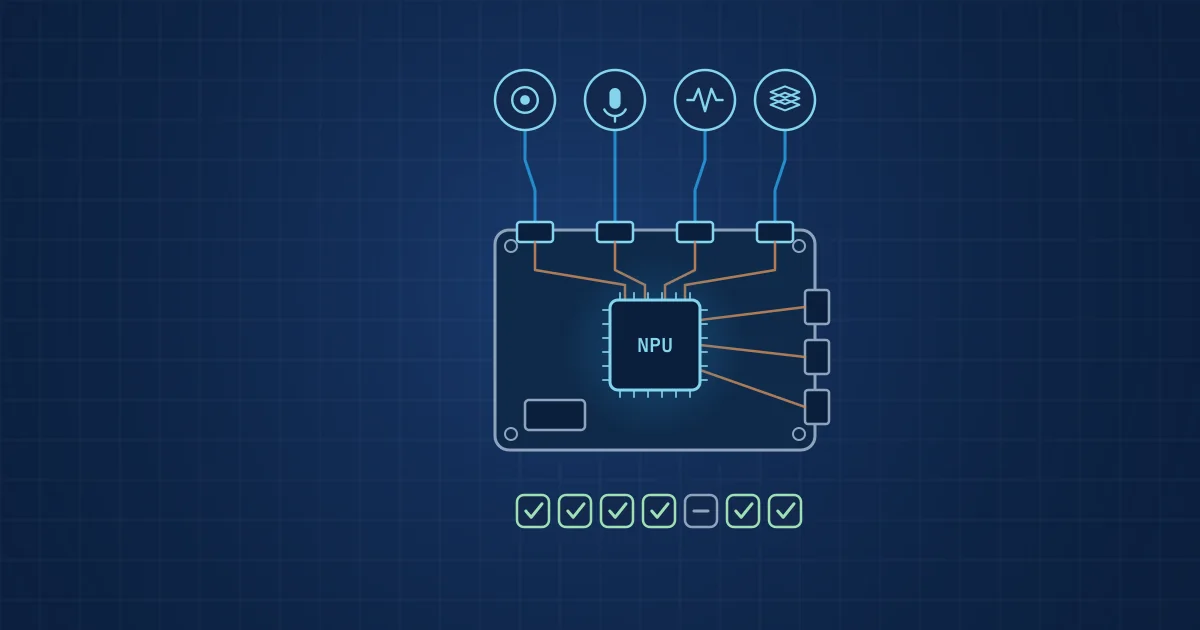
Our kits are built around the Edge AI Hub on a RUBIK Pi 3. According to the RUBIK Pi 3 user manual, the board uses a Qualcomm QCS6490 with eight Kryo 670 cores, a Hexagon NPU rated at 12 TOPS and an M.2 Key M slot with two PCIe 3.0 lanes. Our hub adds NVMe storage and the sensors listed below.
| Kit | Contents | Status |
|---|---|---|
| Starter Kit | Edge AI Hub | Available with the Multi-Camera Hub |
| Machine Health Kit | Hub, Vibration Node, Acoustic Node | Built to order |
| Process Monitoring Kit | Hub, Acoustic Node, Vision Node, optional Vibration Node | Built to order |
| High-Speed Vision Kit | Hub, Vision Node, Event Node | Built to order |
| Multi-Modal Sensing Kit | Hub, Vision, Vibration, Acoustic, Depth and Event Nodes | Built to order |
The Multi-Camera Hub combines three OmniVision OV9281 global-shutter cameras (capture up to about 100 fps, recording rate set per order), a FLIR Lepton 3.5 radiometric thermal core, a 48 kHz USB microphone and 512 GB NVMe. The Vibration Node uses an ADXL1002 accelerometer with an 18-bit, 200 kSPS front end; the Acoustic Node uses a Microtech Gefell MK 301 E capsule. Every stream is time-stamped on the hub, recordings are hashed per segment and export to NWB, MKV/HEVC, JSONL and CSV.
On compute, we are precise about the status: custom models are trained for you by our engineers, on-device inference as ONNX on the QCS6490's CPU was first proven on our Vibration Node, and NPU deployment is coming soon. See the kit overview and the Edge AI Hub for details, or request a quote.
Frequently asked questions
What should I look for in an edge AI development kit for industrial use?
Look at the sensor chain first: supported sensor parts, sample and frame rates, analogue front ends and how streams are time-stamped. Then check recording and export, which model formats run on the hardware today, operating system support and its maintenance period, security update handling and whether the same hardware can be used in production. Compute performance matters, but rarely limits industrial sensing projects first.
Do I need an NPU for industrial sensor AI?
Not always. Many models for vibration, acoustic and thermal signals are small and run comfortably on a modern CPU. An NPU becomes valuable for larger vision models, high frame rates or several models running in parallel. Before relying on one, check that your model's operators are supported by the vendor's NPU toolchain, otherwise inference may fall back to the CPU anyway.
What does TOPS mean for edge AI hardware?
TOPS stands for tera operations per second and describes the peak throughput of an AI accelerator, usually for low-precision integer operations. It is a useful upper bound but not a performance prediction. Actual speed depends on model architecture, supported operators, memory bandwidth, quantisation and the maturity of the vendor's software. Benchmark your own model rather than comparing TOPS figures.
Does the Cyber Resilience Act apply to edge AI development kits?
The Cyber Resilience Act, Regulation (EU) 2024/2847, covers products with digital elements placed on the EU market. Its reporting obligations have applied since 11 September 2026, and its main obligations apply from 11 December 2027. Whether a particular kit is in scope depends on how it is supplied, but any platform you intend to put into production should have a clear security update and vulnerability handling process.
Why does data export matter for an edge AI kit?
Models for industrial sensing are developed, retrained and validated on recorded data, often by people outside the team that runs the kit. If recordings can only be read with the vendor's software, every analysis depends on that vendor. Open formats such as CSV, JSON Lines, standard video containers and NWB, together with integrity hashes, keep data usable and auditable.