
Short answer
CNC spindle monitoring detects tool wear and chatter by watching vibration, sound and spindle load during each cut. Chatter is a self-excited vibration that appears close to a natural mode of the tool or spindle, at frequencies that usually do not line up with the tooth passing frequency or, with runout, with any spindle speed harmonic. Tool wear shows as a slow rise in cutting load and vibration for the same operation, compared against earlier cuts.
Key takeaways
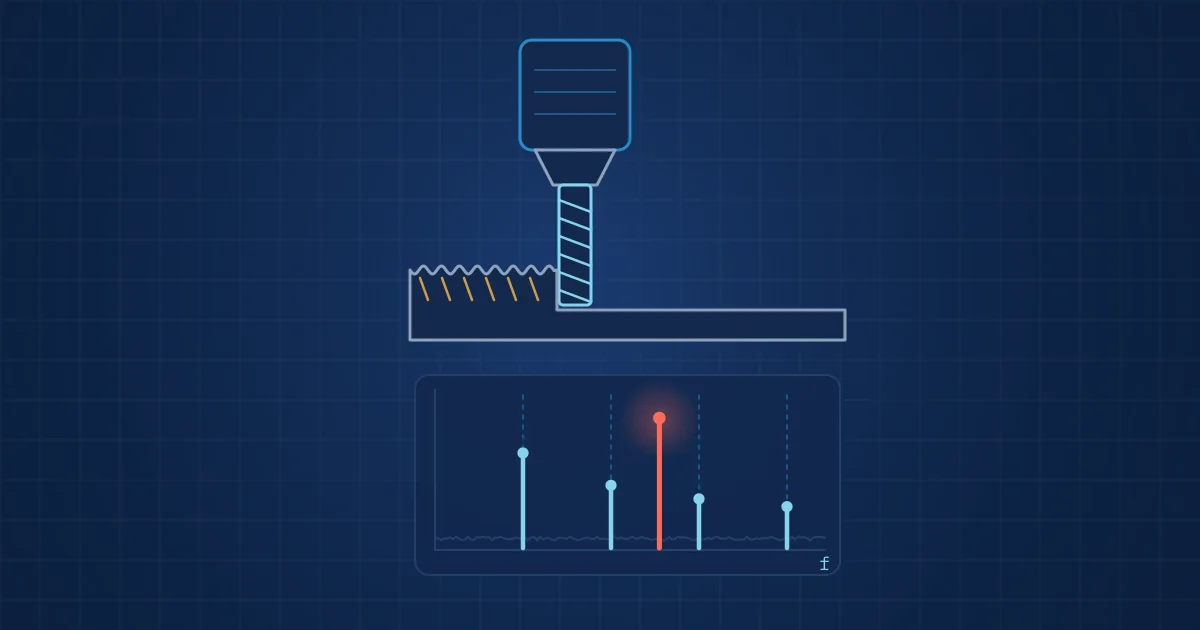
- Forced vibration in milling sits at the tooth passing frequency, spindle speed times number of teeth divided by 60, and its harmonics; chatter usually appears near a structural mode, between spindle harmonics.
- Changing spindle speed or depth of cut, guided by a stability lobe diagram, is the standard way to move out of chatter.
- Tool wear is gradual, so it must be judged per operation against the same tool, program line and cutting parameters, not against a global threshold.
- A 2021 review of indirect tool condition monitoring in turning concluded that vibration may not be sufficient on its own; force, current, acoustic emission and sound each add information.
CNC spindle monitoring has two jobs that look similar in the data and are very different in practice. Chatter is fast: it starts within a cut, ruins the surface and can chip the tool in seconds. Tool wear is slow: it develops over dozens or hundreds of parts until surface finish, dimensions or cutting forces drift out of tolerance. A monitoring system that treats both the same way will either miss chatter or cry wolf about wear.
This article explains how each phenomenon appears in vibration, sound and spindle load, how to place sensors on a machine tool, and how to structure the data so that models compare like with like. The underlying signal processing is covered in our vibration analysis basics.
Forced vibration and the tooth passing frequency
In milling, every tooth entering the material delivers a small impact. The resulting forced vibration repeats at the tooth passing frequency:
tooth passing frequency (Hz) = spindle speed (rpm) x number of teeth / 60
A four-flute end mill at 12,000 rpm turns at 200 Hz and has a tooth passing frequency of 800 Hz. The spectrum of a stable cut shows peaks at 800 Hz and its harmonics, plus some content at the 200 Hz spindle frequency from runout, where one tooth cuts slightly more than the others.
This forced pattern is not a fault. It is the fingerprint of the operation. Its amplitude depends on material, radial and axial engagement, feed per tooth and tool condition. That dependence is what makes it useful for wear monitoring later.
How chatter appears in the spectrum
Chatter is a self-excited vibration. The most common form in milling is regenerative chatter: a tooth leaves a wavy surface, the next tooth cuts that wavy surface, and if the phase between the two waves is unfavourable, the variation in chip thickness feeds energy into the vibration. Once established, it grows until something non-linear limits it, often the tool leaving the cut.
Its spectral signature differs from forced vibration in a way that detection algorithms exploit. As Çalışkan summarises in a 2024 paper on real-time milling chatter detection in the Journal of Manufacturing and Materials Processing, forced vibrations occur at the known tooth passing frequency and its harmonics, while chatter vibrations occur close to one of the natural modes, with sidebands spaced at the tooth passing frequency. With runout, the chatter frequency lies between two spindle speed harmonics.
In the 12,000 rpm example, a stable cut shows energy at multiples of 200 Hz. If a tool mode near 1.9 kHz becomes unstable, a strong peak appears somewhere between 1,800 and 2,000 Hz that does not line up with any spindle harmonic. A simple and robust indicator is therefore the share of vibration energy at non-harmonic frequencies, tracked continuously during the cut.
Avoiding chatter rather than only detecting it
Stability lobe diagrams plot the maximum stable depth of cut against spindle speed for a given tool and machine. The same paper notes that they are used to select the best spindle speed and depth of cut combinations, and that stability can be restored by increasing or decreasing the spindle speed. Detection and avoidance work together: monitoring finds the unstable combinations in production, and process engineers move the parameters into a stable lobe.
How tool wear shows up in the signals
Tool wear changes the cutting edge geometry. Flank wear, the most commonly measured form, widens the contact land on the clearance face and increases rubbing. Crater wear on the rake face changes chip formation. Both raise cutting forces and alter vibration.
Tool-life testing standards define how wear is measured in the laboratory. ISO 3685:1993 covers tool-life testing with single-point turning tools, and ISO 8688-2:1989 covers end milling. Both describe how tool wear and tool life are assessed and recorded. In production nobody stops to measure the flank wear land, so monitoring has to infer wear indirectly.
The review by Kuntoğlu and colleagues on indirect tool condition monitoring in turning (Sensors, 2021) summarises how the main signals relate to wear:
| Signal | How it relates to tool wear | Practical notes on a machine tool |
|---|---|---|
| Cutting force | Generally increases with wear | Most direct, but dynamometers are expensive and hard to fit |
| Spindle motor current or power | Follows cutting power, so rises with wear | Available from the drive; slow and distant from the cutting zone |
| Vibration | Amplitude tends to increase with wear | Easy to mount; the review notes it may not suffice on its own |
| Acoustic emission | Sensitive to early chipping and micro-events | High-frequency contact sensor; needs careful mounting |
| Airborne sound | Changes with cutting conditions and wear | Low cost, non-contact; best as a supporting signal |
The review covers turning. The same signals are used on milling machines, but how strongly each one tracks wear should be checked for your own process.
The common thread: every one of these signals also changes with cutting parameters, workpiece material and tool engagement. A rise in spindle load means wear only if the cut is otherwise identical.
Context is the hard part: comparing like with like
The most important design decision in CNC spindle monitoring has nothing to do with sensors. It is how to segment the data so that each measurement is compared with earlier measurements of the same thing.
That means tagging every segment with:
- Tool number and tool life counter, or parts since the last tool change.
- NC program and block or operation number.
- Commanded spindle speed, feed and, if available, engagement.
- Workpiece material batch, where it varies.
With that context, wear monitoring becomes a trend per tool and operation: the same cut on part 1 and part 150. Without it, a change of program looks like sudden tool failure. We go further into this in feature engineering for industrial signals.
Sensor placement on a machine tool
- Accelerometer on the spindle housing, as close to the front bearings as the guarding allows, oriented radially. This carries chatter, tooth passing content and spindle bearing condition.
- Accelerometer on the workpiece table or fixture for thin-walled parts, where the workpiece, not the tool, is often the chattering structure.
- Microphone inside the enclosure, protected from coolant and chips, for a non-contact view of chatter and tool breakage. Our article on acoustic vs vibration monitoring discusses the trade-offs.
- Spindle load from the drive, read from the controller, for slow wear trends at low cost.
- Signal health monitoring for every sensor. Coolant ingress and loosened magnets are the commonest causes of false alarms on machine tools.
Sample rates should cover the tooth passing frequency and its relevant harmonics plus the tool and spindle modes. For high-speed machining that means tens of kilohertz for vibration and acoustics.
A practical rollout checklist
- Start with one machine and a handful of high-value or high-risk tools.
- Record a baseline of stable cuts with new tools for each monitored operation.
- Run tools to their normal change interval and inspect them, so wear labels exist.
- Collect deliberate chatter examples by stepping depth of cut on a test part.
- Define actions before alarms: feed hold, speed change or tool change request.
- Review false alarms weekly in the first months and adjust segmentation first, thresholds second.
How much labelled data such models need is a fair question; our post on training data for acoustic quality inspection gives a realistic view that also applies here.
How NeuroControls approaches this
For machine tools we combine our Vibration Node, with an ADXL1002 accelerometer digitised at 18 bits and 200 kSPS, with an Acoustic Node using a Microtech Gefell MK 301 E capsule and, where useful, a camera on the hub. Every stream is time-stamped on the hub; tool and program context from the controller is added per project. Each node reports its own signal health, which matters in a coolant-soaked enclosure.
Our engineers train models on customer data: anomaly detection for unknown events, classification for chatter and breakage, and severity grading for wear trends. On-device inference as ONNX on the node CPU was first proven on our Vibration Node; NPU inference is coming soon. The machine health industry page and our models and validation overview describe the approach, and the Machine Health Kit is the usual starting point.
Frequently asked questions
How do you detect chatter on a CNC machine?
Measure vibration or sound during the cut and compare the spectrum with the forced pattern. Stable milling shows peaks at the tooth passing frequency and its harmonics. Chatter adds a strong component near a natural mode of the tool, spindle or workpiece, at a frequency that usually does not coincide with a multiple of spindle speed. Tracking the energy share at such non-harmonic frequencies gives a robust chatter indicator.
What is the tooth passing frequency?
The tooth passing frequency is the rate at which cutting teeth enter the material. It equals spindle speed in rpm multiplied by the number of teeth, divided by 60, giving hertz. A four-flute cutter at 12,000 rpm has a tooth passing frequency of 800 Hz. Forced vibration in milling appears at this frequency and its harmonics.
Can tool wear be detected from spindle vibration?
Partly. Vibration amplitude generally rises with tool wear, but it also changes with cutting parameters, material and engagement. A 2021 review of tool condition monitoring in turning concluded that vibration may not be sufficient on its own. Combining it with spindle load, acoustic signals and the NC program context, and comparing each cut with earlier cuts of the same operation, gives far more reliable wear trends.
How do I stop chatter once it is detected?
The standard remedy is to change spindle speed or depth of cut so the process moves into a stable region of the stability lobe diagram. Increasing or decreasing spindle speed can restore stability, while reducing axial depth of cut almost always helps. Stiffer tool holding, shorter overhang and better workpiece fixturing raise the stability limit permanently.
Where should I mount an accelerometer on a CNC spindle?
Mount it on the spindle housing as close to the front bearings as guarding and coolant allow, oriented radially, using a stud or adhesive rather than a magnet if possible. For thin-walled parts add a sensor on the fixture or table. Protect cables from chips and coolant, and monitor sensor health to catch loosened mounts.
Sources and further reading
- Çalışkan: Real-Time Milling Chatter Detection and Control with Axis Encoder Feedback and Spindle Speed Manipulation, J. Manuf. Mater. Process. 2024, doi 10.3390/jmmp8040173
- Kuntoğlu et al.: A Review of Indirect Tool Condition Monitoring Systems and Decision-Making Methods in Turning, Sensors 2021
- ISO 3685:1993 Tool-life testing with single-point turning tools
- ISO 8688-2:1989 Tool life testing in milling - Part 2: End milling
- Analog Devices ADXL1002 product page